Easily track time and see
where all your hours go
As your business grows, see what each person is working on.
Start the timer with one click.
Pick a project and task, then click start. Switch tasks as the work changes, and if someone forgets the timer, add the time manually later.
See where every hour went.
Open anyone’s report to see total time, how much was productive, unproductive or neutral, and which websites and apps it went to. Employees and managers see the same view.
See everyone’s day on one timeline.
See when each person started, finished and how long they worked, for today or the whole week. Click a name to open their day, block by block, with project, task and time not working.
Know which projects take the time.
See the total time each person works, broken down by project and task. Customize the dashboard so you track and analyze exactly what matters to you.
See who’s working right now.
See everyone working right now, what they’re on and for how long. Set each schedule once, and anyone who starts late shows up on its own.
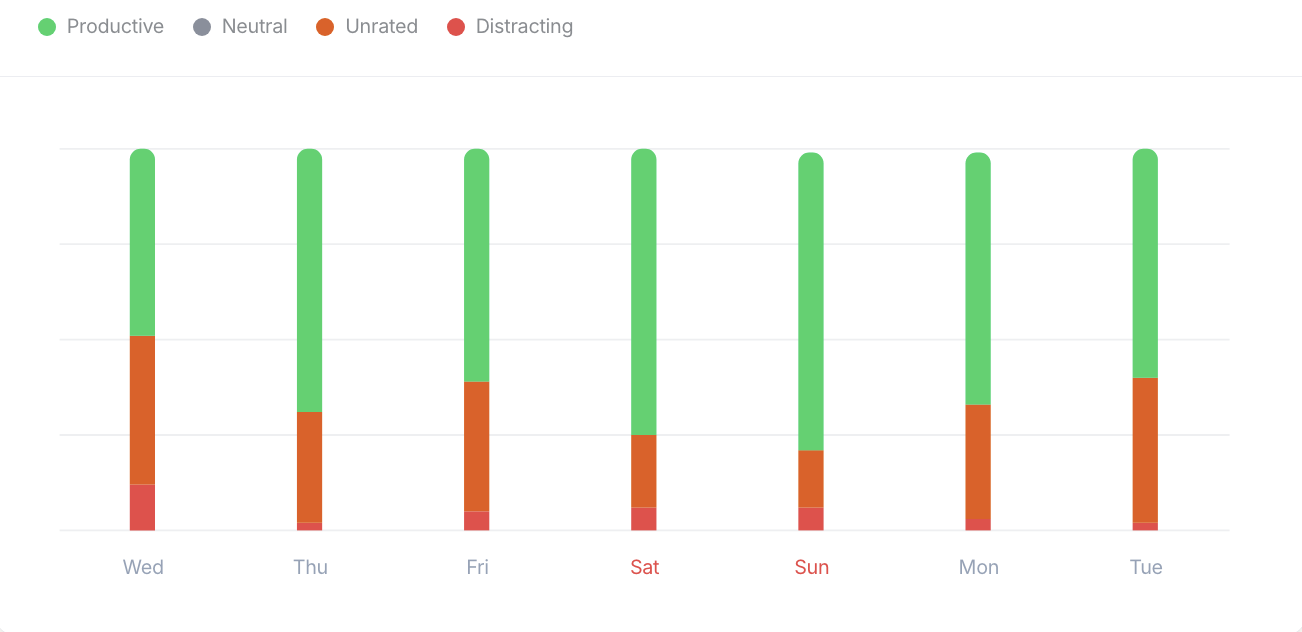
Productivity, analyzed for you.
See how productive your team is, every day. You decide which apps and websites count as productive, unproductive or neutral. Anything you haven’t rated stays in Unrated.
All your time reports,
one place.

Top projects
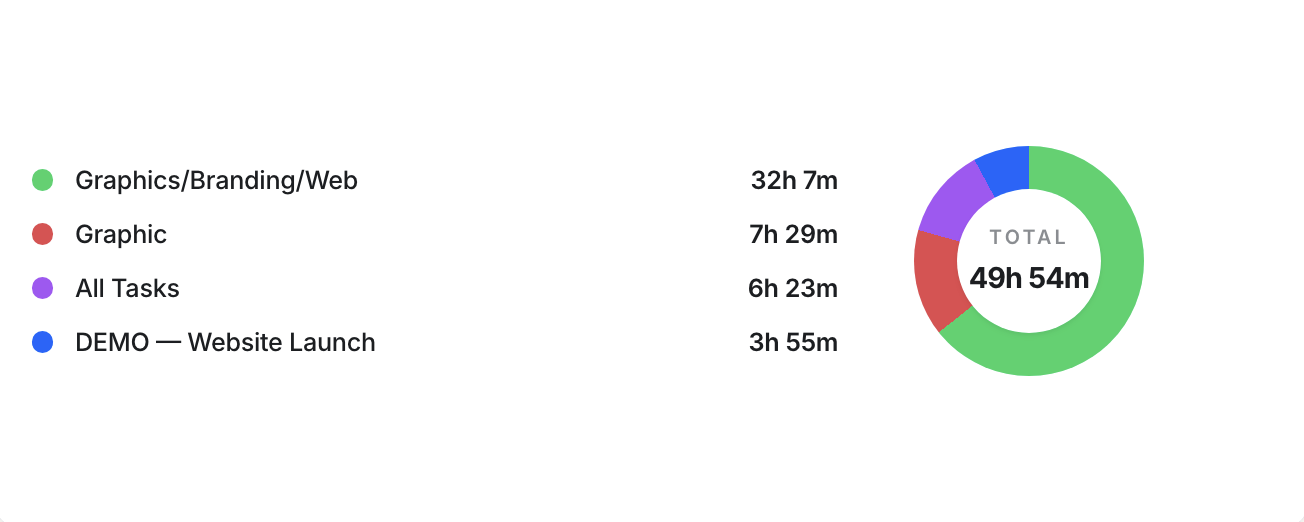
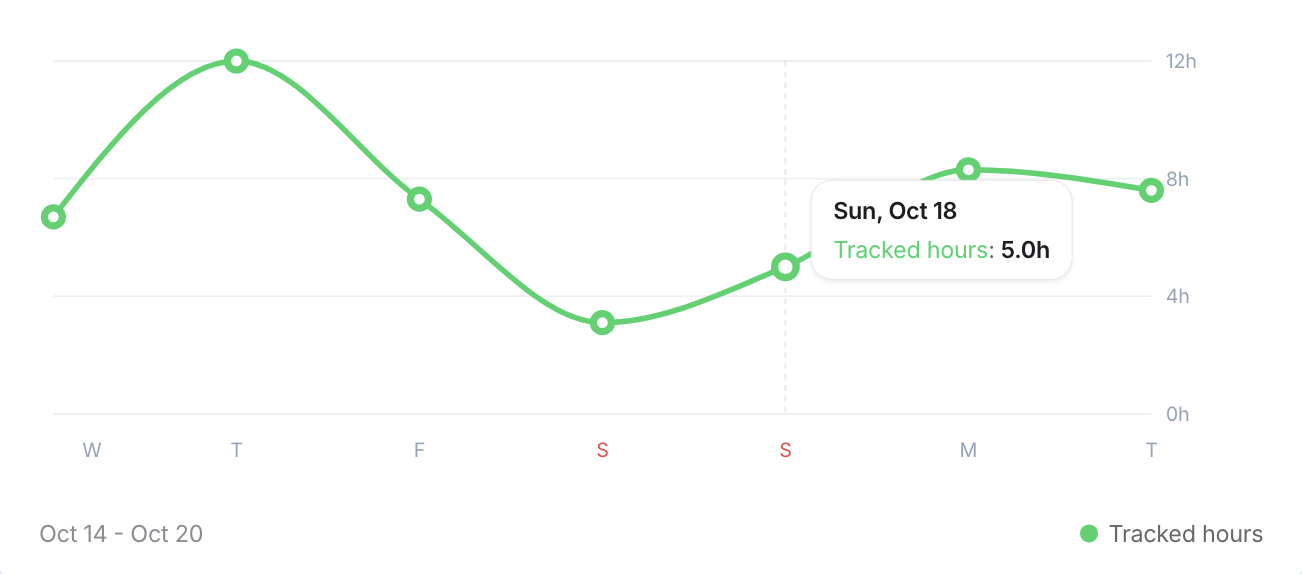
Hours tracked
Productivity % per day
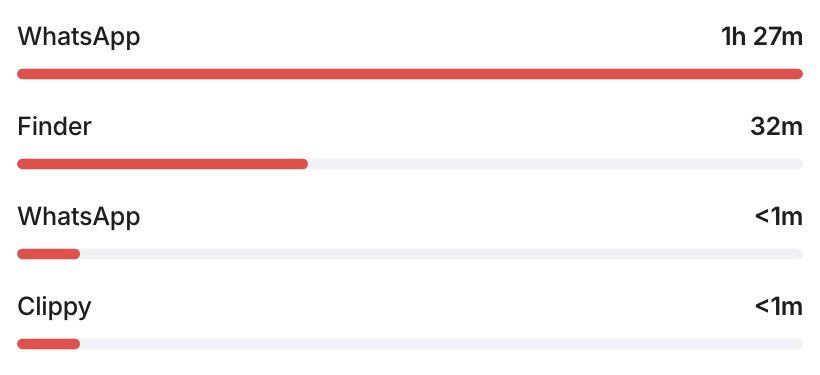
Unproductive websites & apps
Idle minutes
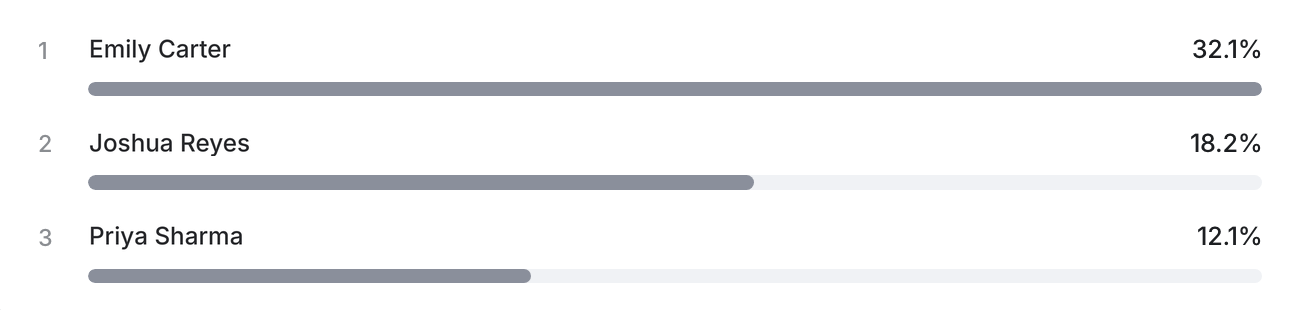
Tracked most hours

Turn hours into payroll.
Set up payroll in the payment program you already use at no extra cost, in any currency. Accurate time records mean fewer payroll errors and less time spent chasing timesheets.

Interactive demo
See Kordano Time in action
Click through the product the way your team will use it.
Connects with 60+ tools
Track time inside the project, chat, calendar and payroll apps your team already uses. See every connection in the integrations directory.













Explore more features.
Questions,
answered.
How much does Kordano Time cost?
$5 per person per month, billed monthly with no seat minimum and no annual commitment. Access is planned for December 1, 2026.
Is Kordano Time secure?
Yes. Screenshots and screen recordings are stored on Kordano-managed servers by default, or in your own Amazon S3 or Cloudflare R2 bucket if you prefer.
Does tracking work without an internet connection?
Yes. Time is recorded offline and syncs automatically once the device reconnects, which suits fieldwork and unstable connections.
What if someone forgets to track their time?
Automatic reminders help people remember, and depending on permissions, missed time can be added or edited afterwards.
Make productivity easy to see.
Get a demo and see how simple time tracking can drive real results for your business.